
IT acceptable use policy template for accountancy practices
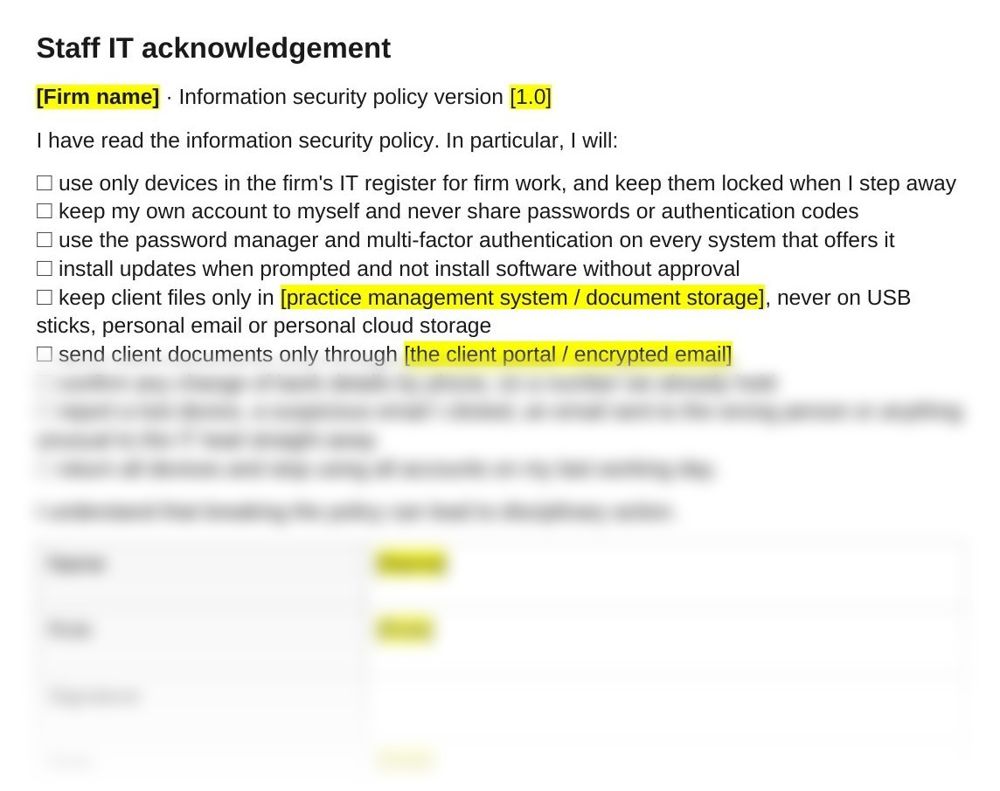
Set out the IT rules every person at the firm follows, from passwords to where client files are kept, and have each one sign before they get access. This IT acceptable use policy template is one Word page with nine rules and a signature block, signed alongside the firm's full IT security policy.
UK practicesGet this pack and 100 more for $129
What the policy looks like
When staff sign it
UK GDPR requires a firm to take steps so that everyone with access to personal data processes it only on the firm's instructions. A page of rules that each person signs is the firm's record that they were told. Have it signed:
- By every new starter, before they get a laptop or any login
- By everyone again when the firm's IT security policy changes and gets a new version number
- By temporary staff and contractors who need access to client files
How to use the IT acceptable use policy template
- Fill in the firm name and policy version. The version number at the top shows which policy each person signed.
- Name your own systems. Fill in where client files are kept and how documents go to clients, such as the client portal or encrypted email.
- Hand it out with the policy. Each person reads the firm's IT security policy, then signs this page before getting access.
- Sign it for the firm. Fill in who received it and keep the signed copy on the staff file.
- Repeat when the policy changes. Give the policy a new version number and have everyone sign again.
Questions
What is an IT acceptable use policy?
A short set of rules on how staff use the firm's devices, accounts and data, signed by each person. This one covers devices, passwords and multi-factor authentication, software, client files, sending documents, bank detail changes, reporting problems and leaving the firm.
What should an acceptable use policy include?
Which devices can be used for work, how accounts and passwords are protected, what software can be installed, where client data is stored and how it is sent, what to report and to whom, what happens when someone leaves, and what happens if the rules are broken. It ends with the person's signature and the date.
Do employees have to sign an acceptable use policy?
UK GDPR requires the firm to take steps so that everyone with access to personal data uses it only on the firm's instructions. A signed copy for each person is the record that they were given the rules, and it shows which version they signed.
Does the policy cover personal devices?
Only devices in the firm's IT register can be used for firm work, so a personal phone used for firm email goes in the register too. Under Cyber Essentials, staff-owned devices that access the firm's data are in scope. A phone used only for calls, texts and an authenticator app is out of scope.
What should staff report, and when?
A lost device, a suspicious email they clicked, an email sent to the wrong person or anything unusual, straight away. The firm must report a personal data breach to the Information Commission without undue delay and, where feasible, within 72 hours of becoming aware of it, unless it is unlikely to put people at risk.
How often should staff sign it?
When they join, and again whenever the policy changes and gets a new version number.
Also in the practice IT security pack
Who it's for
Small UK accountancy and bookkeeping practices that want each person's IT rules signed and on file.
Last checked
Checked against UK GDPR articles 32 and 33 and the Cyber Essentials Requirements for IT Infrastructure v3.3 in November 2026.