
Payroll Software for Accountants: How Firms Automate Client Payroll
Payroll software for accountants must handle RTI, auto-enrolment and payslips across a client book, and UK and US pricing models differ sharply.
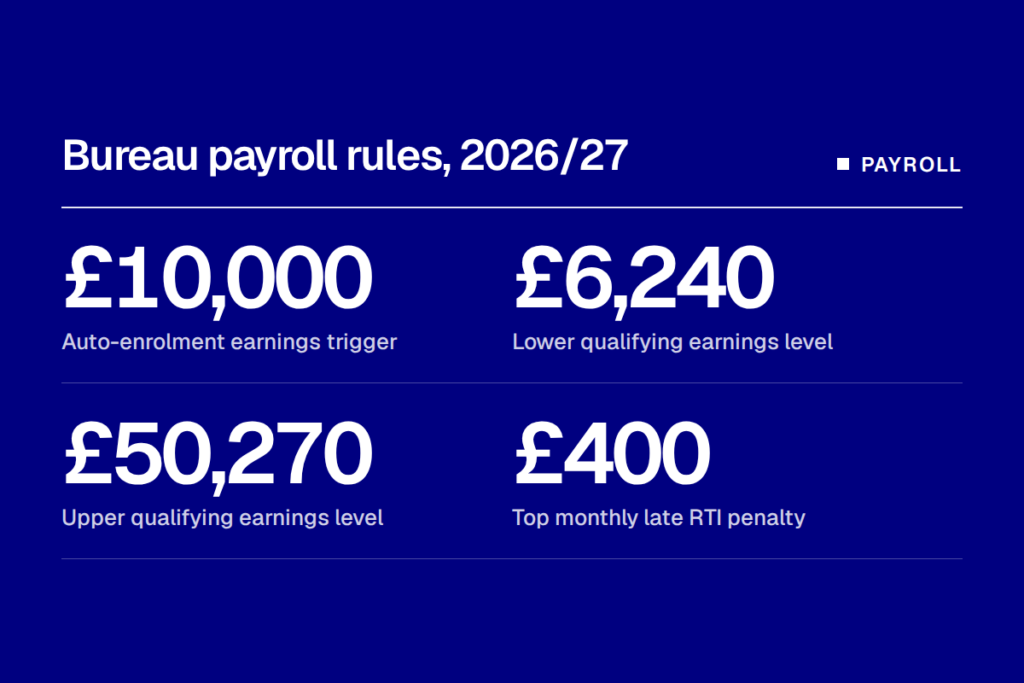
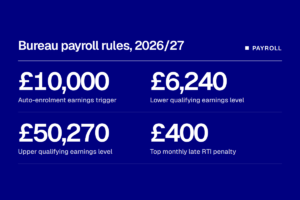
Payroll software for accountants must file a Full Payment Submission on or before every client payday, apply a £10,000 auto-enrolment earnings trigger unchanged for 2026/27, and avoid late-filing penalties of up to £400 a month.
For a firm running a payroll bureau, those rules repeat across every client, every pay period. The software decides whether a 40-client book is run from one screen or from 40 separate logins.
Pricing models differ more than the compliance rules do. UK products tend to charge per employee or per payslip, while US products usually charge a base fee plus a per-worker amount for each client company.
Payroll software for accountants and the 2026/27 rules
HMRC requires employers to send the Full Payment Submission, the core Real Time Information return, on or before employees’ payday, even where the employer pays HMRC quarterly. A bureau files on the client’s behalf, so the deadline is the bureau’s exposure.
HMRC’s compliance handbook sets fixed late-filing penalties by scheme size. They are £100 for 1 to 9 employees, £200 for 10 to 49, £300 for 50 to 249 and £400 for 250 or more. Only one penalty applies per PAYE scheme per tax month.
HMRC does not charge a penalty for the first tax month in a year in which an employer files late. A bureau with dozens of schemes cannot treat that as a plan, since each scheme is assessed separately.
Auto-enrolment adds a second calendar. The Pensions Regulator has confirmed that the earnings trigger stays at £10,000 a year for 2026/27, with qualifying earnings running from £6,240 to £50,270. The thresholds took effect on April 6, 2026.
The Department for Work and Pensions held the values flat to give policy stability while the Pensions Commission works. Firms therefore avoid a mid-year rate change this time, though the figures are not frozen beyond 2026/27.
What bureau payroll automation does in practice
Automation covers four jobs: collecting client pay data, submitting PAYE and RTI returns, assessing workers for pension auto-enrolment, and distributing payslips.
The first is where most time is lost. Instead of emailed spreadsheets, clients enter hours and changes in a portal, and the bureau reviews them. BrightPay’s bureau page lists client payroll entry, batch finalising for multiple clients, employer dashboards and automatic payslip distribution as bureau features.
Auto-enrolment assessment runs on each pay run. The software compares each worker’s earnings with the trigger and qualifying band, enrols those who cross it and calculates contributions. BrightPay lists direct links to NEST, The People’s Pension and Smart Pension for sending pension files.
Client approval is the control point. The bureau prepares the run, the client signs it off, and only then does the software submit to HMRC and release payslips. A usable system keeps a record of who approved what and when, which matters if a client later disputes a payment.
Payslips are the simplest step to automate and the one clients see. Software emails or publishes them to an employee portal at finalisation, removing the bureau from distribution altogether.
UK payroll software for accountants compared
The main UK options for bureaus are BrightPay, Xero Payroll, Staffology from IRIS and Sage. Accountio’s payroll software directory and vendor comparison pages set them side by side.
Xero publishes the clearest prices. Its Ignite plan costs £18 a month and adds payroll at £1.50 for each person. Grow, at £39, includes payroll for one person and charges £1.50 for each extra one.
Comprehensive, at £55 a month, includes five people, and Ultimate, at £70, includes ten and charges £1 for each additional person. For a bureau billing monthly pay runs, the per-person fee works out as a per-payslip cost.
BrightPay positions itself as a purpose-built bureau product, with direct exports to Xero, Sage and QuickBooks. Its bureau page lists no per-payslip rate, and the cloud price comes from a calculator, so firms need a quote based on their own employer and employee counts.
Staffology is the IRIS cloud payroll product, sold as Staffology Payroll, Staffology HR and Staffology Bureau. IRIS publishes no rates on that page and directs buyers to sales, so any per-payslip figure quoted elsewhere should be confirmed with the vendor.
The gap matters for the budget. A firm comparing Xero’s published per-person fee with a quoted bureau rate is comparing a list price with a negotiated one. Ask each vendor to price the same sample book of clients and employee counts.
Firms already using AI payroll software for error checking should also ask whether it sits inside the payroll product or is billed separately.
US equivalents and pricing per payslip
The US has no RTI equivalent and no national auto-enrolment, so the compliance burden falls on payroll tax filings and state-level retirement mandates. The multi-client model is the same, with a firm dashboard above individual client companies.
Gusto’s page for accounting firms describes a single dashboard that shows upcoming payroll deadlines, payroll type and action-required flags across clients. It offers firms free Gusto Plus payroll for their own staff once they onboard at least one client a year.
QuickBooks renamed QuickBooks Online Payroll as QuickBooks Workforce in 2026. Its pricing page lists Workforce Payroll with Simple Start at $44 a month plus $6.50 per employee, and Workforce Premium with Plus at $101.50 a month plus $10 per employee. Those base prices carry a 50% discount for three months.
The page refers to an accountant discount but does not state the rate. Trade summaries of the July 1 changes disagree on per-employee increases, so firms should read the current terms in their ProAdvisor account before quoting clients.
The pricing structures differ. A US base fee is paid per client company before any employees are counted, so a firm with many small clients pays the base fee many times. UK per-person pricing scales more smoothly for micro employers with one or two staff.
What to check before choosing payroll software
The first check is the dashboard. Ask to see all clients’ pay runs, approval status and submission status on one screen, filtered by deadline. A system that shows only one client at a time removes most of the saving.
The second is how billing counts people. Some products charge on the highest headcount in a period, others on payslips processed. A client with seasonal staff costs very differently under each.
The third is the pension connection. Check that the software sends files to the schemes clients use, and that it records the assessment date for each worker.
The fourth is the link to practice systems. Payroll data often needs to reach the ledger and the firm’s workflow tool, so check the integrations against your practice management software before committing.
Firms moving a book mid-year should plan the switch for the start of a tax year, since year-to-date figures must carry across correctly. The 2027/28 auto-enrolment review is the next date to watch, as the thresholds were held flat for 2026/27 only.
Accountio.
The go-to weekly newsletter for accounting professionals. Trusted by 10,000+ industry leaders to deliver the tech trends and insights that matter most. Join them today.