
Software evaluation matrix template (Excel) for finance software
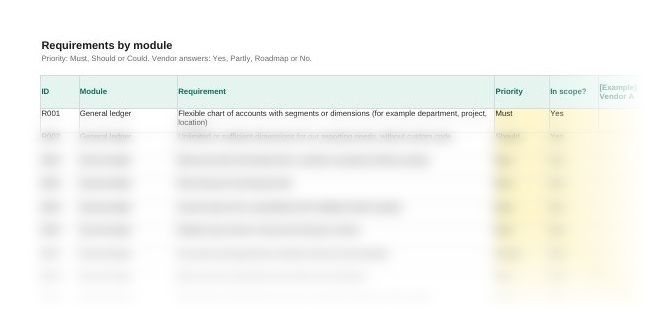
Score up to five vendors on the same requirements, the same weights and the same cost basis, so the choice rests on evidence and not on the best demo. This software evaluation matrix template is one Excel workbook with over 100 finance requirements already filled in, weighted scoring, total cost of ownership and a reference call log.
Finance teams and practices- In the pack
- Finance software selection kit
- Files
- 5, Excel and Word
Get the pack by email
What the workbook looks like
When you need it
A software evaluation matrix lists what the new system must do, weights each criterion and scores every vendor against the same list. Build it before the first demo, when you have agreed the scope, the budget and who makes the final decision. Use this one when:
- You are replacing spreadsheets or an accounting system the business has outgrown
- You are choosing ERP, close, accounts payable or expense software and have more than two vendors in the running
- The board or the owners want to see why one vendor won
- Several people in the team will score the vendors and you need one set of results
- Quotes come in on different terms and you need to compare the cost over the whole contract
How to use the software evaluation matrix template
- Name your shortlist. Enter up to five vendors on the Vendors sheet. The names appear across the workbook.
- Set the requirements before any demo. Change the priority on each line, mark what you don't need as out of scope and add your own lines at the end.
- Record each vendor's answers. Enter Yes, Partly, Roadmap or No against every line from their response to your request for information.
- Enter the costs. Choose 3 or 5 years on the Total cost sheet, then enter each quote and your own estimate of staff time.
- Score and compare. Set the weights, score each vendor from 1 to 5 after the demo and reference calls, and read the rank and any missed must-haves on the Scoring sheet.
Questions
What is a software evaluation matrix?
A table that lists the requirements and criteria for a new system and scores each vendor against them. It turns demos, vendor answers and quotes into scores you can compare side by side.
What is a weighted scoring matrix?
A matrix where each criterion carries a weight, and each vendor's score on a criterion is multiplied by that weight. The weighted scores add up to one total per vendor. In this workbook the weights must total 100% and every score is out of 5.
How do you score software vendors?
Agree the criteria and weights first, then score every vendor on the same day you see them. Here, functional fit is worked out from the requirements answers: a Yes earns the full points for its priority and Partly earns half. The cheapest vendor over the period scores 5 for cost, and the others score in proportion.
What should a software requirements list include?
What the system must do in each area you use, such as general ledger, reporting, payables, receivables, bank, expenses, close, consolidation, tax, budgeting, integrations and security. Each line needs a priority, so must-haves stand out from nice-to-haves.
What is total cost of ownership for software?
Everything the system costs over the contract, not only the subscription. That includes annual price rises, implementation, data migration, training, integrations and the time your own team spends on the project.
Also in the finance software selection kit
Who it's for
Finance teams and accounting practices choosing accounting, ERP, close, payables or expense software.
Last checked
Checked in November 2026.