Purchase order template in Excel with approvals
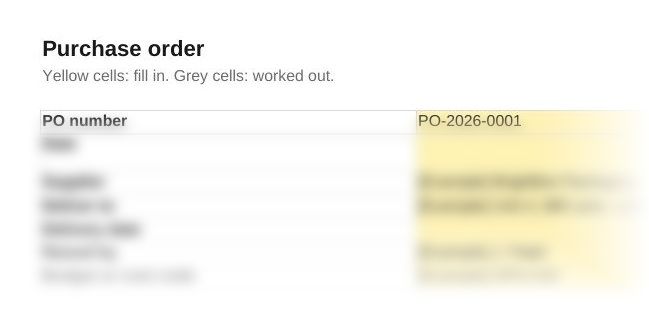
Raise every order on the same form, send it only to suppliers you have checked, and have the right person sign it off before it goes. This purchase order template is one Excel workbook with the order form, a supplier list, approval limits and a log of 500 orders.
Finance teamsGet this pack and 51 more for $79
Want every pack, for every region? Global library, 110 packs, $99
What the workbook looks like
When you need it
A purchase order is the buyer's written order to a supplier: what is being bought, how many, at what price and when it is due. It is raised before delivery, and the supplier quotes its number on the invoice so the two can be matched. Use this one when:
- Staff order from suppliers by email or phone and finance first sees the cost on the invoice
- You want spending approved before it happens, with a limit for each role
- Invoices arrive that nobody can match to an order
- Your auditor or board asks how purchases are authorised
How to use the purchase order template
- Set up the Settings sheet. Enter your company details, the approval limit for each role excluding VAT, and the tolerance for invoice differences.
- List your suppliers. Mark a supplier Approved only when the onboarding checks are complete, including the bank details call-back, and enter the call-back date.
- Raise the order. Choose the supplier from the list, fill in the lines and pick the VAT rate for each line from the supplier's quote.
- Get it approved. The sheet shows whose approval the order needs. The approver adds their name, role and date, and the Check cell must show OK before the order is sent as a PDF.
- Log it and match the invoice. Add the order to the PO log. When the invoice arrives, enter its net amount: a difference above your tolerance is flagged before payment.
Questions
What should a purchase order include?
A unique PO number, the date, the supplier, the delivery address and date, each item with its quantity and unit price, VAT, the total, who raised it and who approved it. This template also shows where to send the invoice and asks the supplier to quote the PO number.
What is the difference between a purchase order and an invoice?
The buyer sends the purchase order before delivery to place the order. The supplier sends the invoice afterwards to ask for payment. Matching the two shows you are paying for what was ordered, at the agreed price.
Who approves a purchase order?
Whoever your approval limits name. In this workbook the order's net value decides: budget holder, finance director or managing director, at limits you set. The person who raised the order can't approve it.
What VAT rates can a purchase order use?
The UK rates are standard 20%, reduced 5% and zero 0%, and some supplies are exempt. The workbook offers all four on each line. Use the rate on the supplier's quote.
What is a PO number?
The reference that identifies one order. The supplier quotes it on the invoice so finance can match the two, and the PO log flags any number used twice.
Also in the supplier onboarding pack
Who it's for
Finance teams and purchase ledger staff in small and mid-sized companies who want orders approved before money is spent.
Last checked
Checked against the UK VAT rates published by HMRC in November 2026.