
Aged debtors report template (Excel) with chasing steps
List every unpaid invoice, see how long each one is overdue and know which reminder each customer should get next. This aged debtors report template is one Excel workbook with room for 300 invoices and 100 customers.
UK practicesGet this pack and 109 more for $99
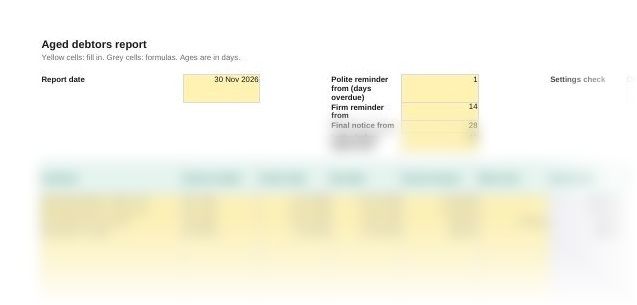
What the report looks like
When you need it
An aged debtors report lists the money customers owe, grouped by how long each invoice has been outstanding. It is the list credit control works from and the one reviewed at the month end and year end. Use this one when:
- Your practice chases its own fees and wants one list of who owes what
- You run credit control for a client whose system has no ageing report
- You are checking debtors at the year end and need the overdue balances to review for bad debts
- A board or owner wants to see overdue debt by customer each month
How to use the aged debtors report template
- Set the report date and steps. Enter the report date on the Invoices sheet and the number of days overdue at which each reminder goes out. Each step must be later than the one before.
- Enter the unpaid invoices. Customer, invoice number, invoice date, due date, amount and anything already paid. The grey columns fill in the rest.
- Clear the Check column. Every row should show OK. Fix any missing date or payment larger than the invoice.
- List each customer once on the Summary sheet. The sheet totals each one by bucket and warns you if an invoice is missing from the list.
- Chase in the order it shows. Start with the oldest balances. Run the report again each week or month and delete invoices once they are paid.
Questions
What is an aged debtors report?
A list of unpaid customer invoices, grouped by how long they have been outstanding: usually not yet due, 1 to 30 days, 31 to 60 days, 61 to 90 days and over 90 days. It shows who owes money, how much and how late it is.
How do you read an aged debtors report?
Look at the older buckets first. Money in the over 90 days column is the hardest to collect, and a customer moving from one bucket to the next each month without paying needs a firmer step.
Should invoices be aged from the invoice date or the due date?
Both are useful. This report shows days since the invoice and days overdue, and sorts each invoice into a bucket by days overdue, which is what decides the next reminder.
How often should you run an aged debtors report?
At least once a month, at the month end. A business with many customers on short terms often runs it weekly, so reminders go out on time.
When is an invoice overdue if no payment terms were agreed?
For business customers, 30 days after the customer receives the invoice, or after the goods or service are delivered if that is later. From then a business can claim statutory interest at 8% over the Bank of England base rate.
Also in the debt recovery pack
Who it's for
Accountancy practices chasing their own fees or running credit control for clients, and finance teams of small businesses.
Last checked
Checked against the Late Payment of Commercial Debts (Interest) Act 1998 and government guidance on late commercial payments in November 2026.