
CIS subcontractor verification log (Excel)
Record every subcontractor's verification with HMRC, see the deduction rate to use and know who must be verified again before you pay them. This CIS subcontractor verification log is one Excel workbook, with a payments sheet that works out the deduction on each payment.
UK practicesGet this pack and 109 more for $99
What the log looks like
When you need it
Under the Construction Industry Scheme, a contractor must verify a new subcontractor with HMRC before paying them. HMRC says whether they are registered and which rate to deduct: 20% if registered, 30% if not, or 0% with gross payment status. Use the log:
- Before the first payment to any new subcontractor
- When a subcontractor you have used before has not been on one of your CIS returns in the current or last 2 tax years
- Each month, to work out deductions before you pay and before the statements go out
- When you take over a contractor client's CIS and need one record of who is verified
How to use the CIS subcontractor verification log
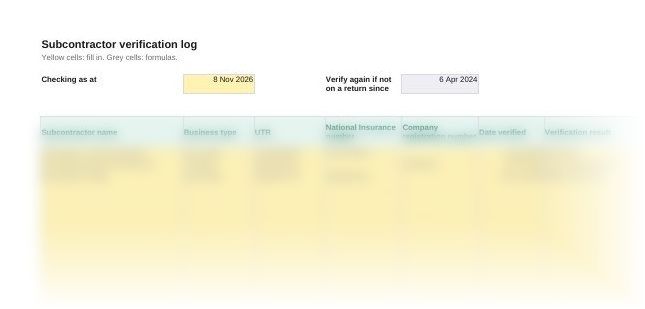
- Set the date at the top. Enter today's date in Checking as at. The sheet shows the cut-off for verifying again.
- Add each subcontractor. Name, business type and UTR, plus the National Insurance number for a sole trader or the registration number for a company. The details must match exactly what the subcontractor registered with.
- Verify and record the result. Use HMRC's CIS online service or your CIS software. Enter the date, the result and the verification reference.
- Check Next step before every payment. Pay only when it shows OK to pay. Record the last tax month each subcontractor was on a return.
- Enter payments on the Payments sheet. Pick the subcontractor, enter the gross amount excluding VAT and the materials. The sheet applies the rate and totals the month.
Questions
How do I verify a subcontractor for CIS?
Use HMRC's free CIS online service or commercial CIS software. You need your own UTR, accounts office reference and employer reference, and the subcontractor's UTR plus their National Insurance number, company number or partnership details.
How do I find out if a subcontractor is CIS registered?
Verify them. HMRC tells you whether they are registered for CIS and which rate to deduct, or whether you can pay them without deductions.
Do I have to verify a subcontractor every time I pay them?
No. You verify a new subcontractor once before the first payment. Verify again only if they have not been on one of your CIS returns in the current or last 2 tax years.
What is a CIS verification number?
The reference HMRC gives when you verify. Where a subcontractor is not registered and you deduct at 30%, the monthly return and their payment and deduction statement must show it.
What do you deduct CIS from?
The gross invoice less VAT, materials the subcontractor paid for, consumable stores, fuel except for travel, plant hire and prefabricated materials. The rate applies to what is left.
Can I verify more than 50 subcontractors online?
Not through the free service. To verify more than 50 subcontractors you need commercial CIS software.
Also in the CIS pack
Who it's for
Accountancy practices and bookkeepers running CIS for building contractors, and contractors who handle it themselves.
Last checked
Checked against HMRC's guidance for CIS contractors and the CIS Regulations 2005 in November 2026.